

Accept Your Squarespace Invite
This guide walks you through accepting your Squarespace invitation.
Before you Start
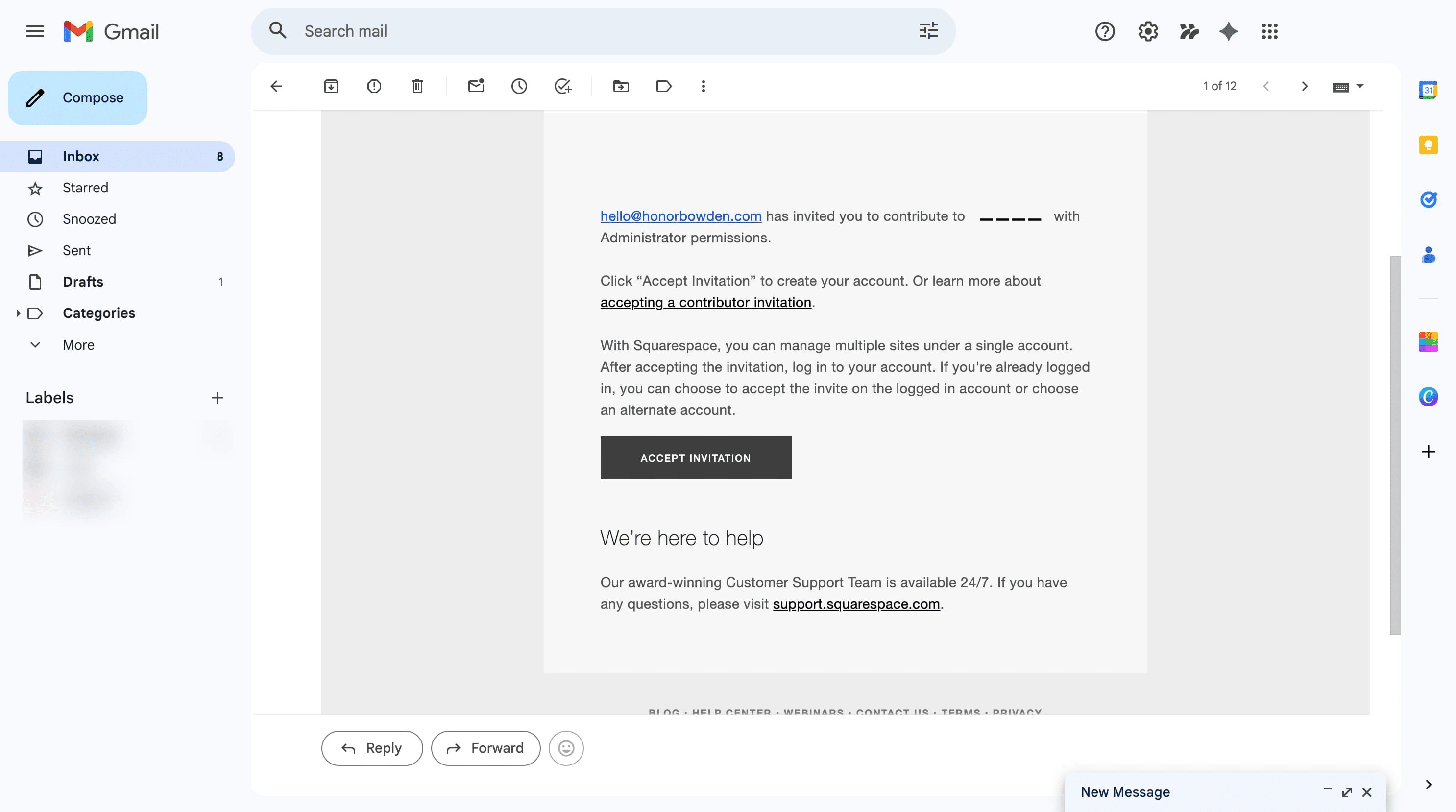
Check your email for a new message from Squarespace (no-reply-at-squarespace.com) with a subject line: "New Squarespace Contributor Invitation". You'll need this to complete the steps below. If you can't find it, check your Spam or Promotions folder.
Open your Squarespace invitation email and click 'Accept Invitation'.
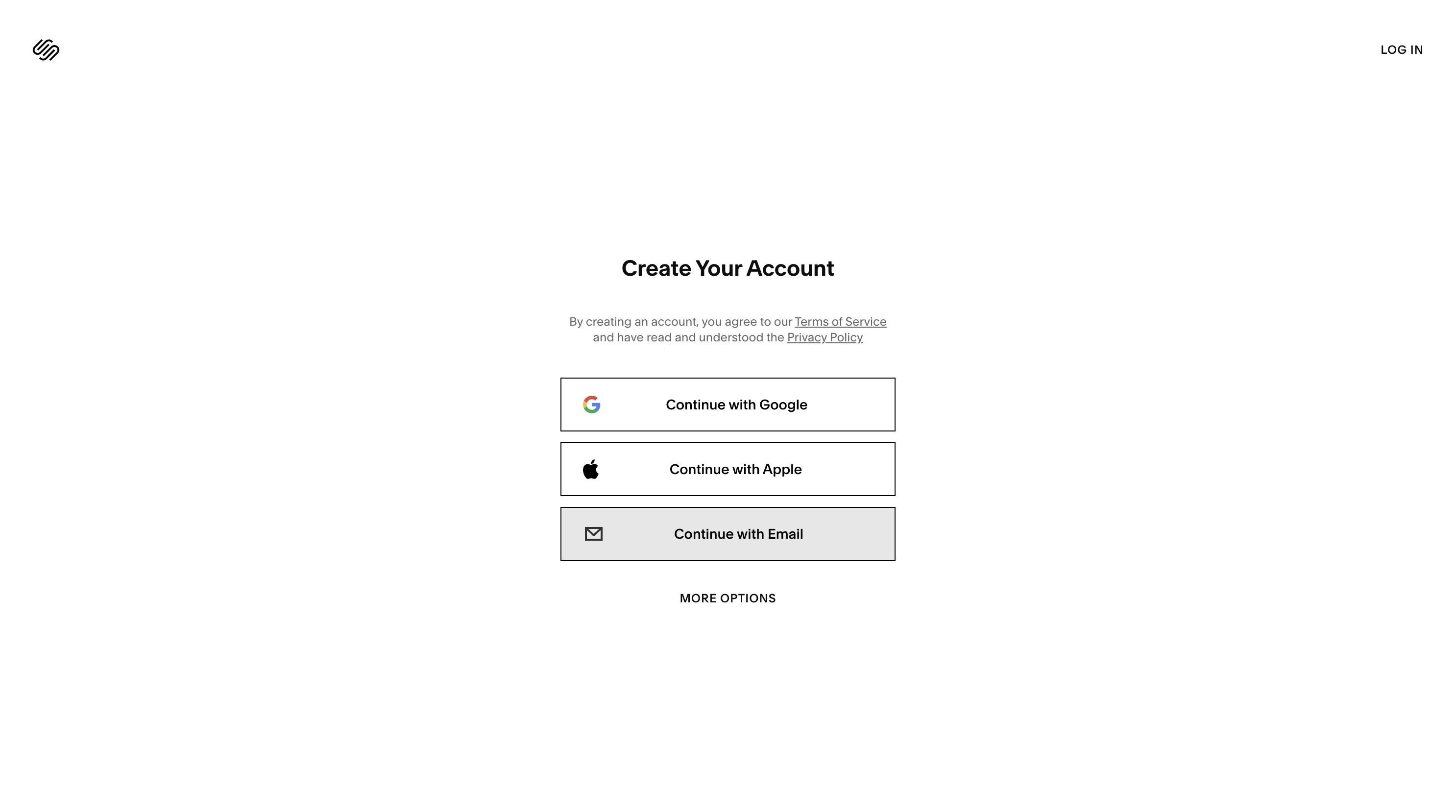
Create your Squarespace account using your preferred email address, Google, Apple, or another sign-in option.
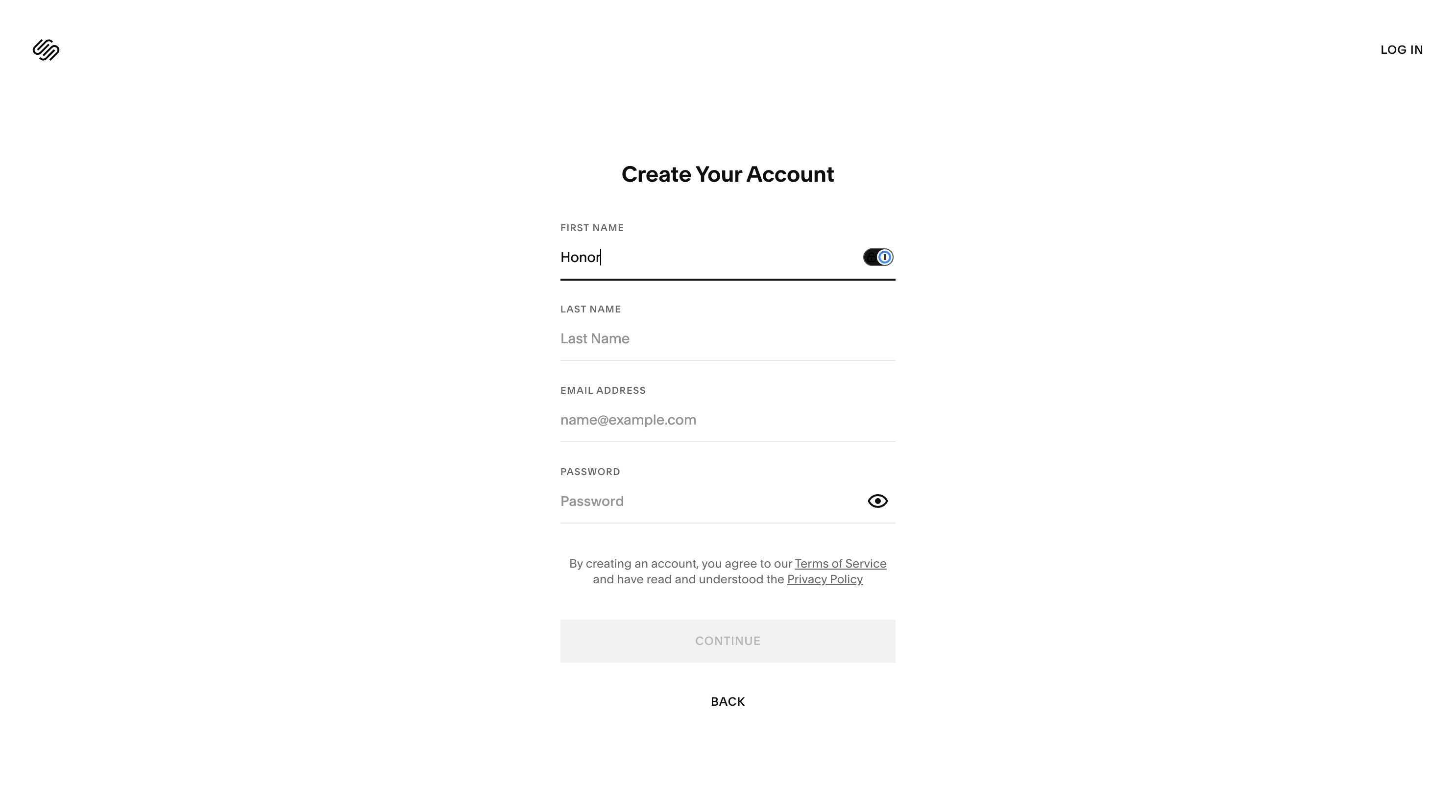
Enter your details
Once you've created your account, you'll receive another email confirming your access. This is normal, you can now proceed to the dashboard.
TIP: If you need help at any point, the Squarespace 24/7 support team is available from the question mark icon in your dashboard.
Previous
How to add a Contributor to your Squarespace Website
Next
Activating your Squarespace Hosting Plan
Not finding what you are looking for?
Reach out to our support team